
Free Kick Streaming Chatbot
Keeping up with chat on Kick can be overwhelming. You don’t want to miss new followers or important moments while you’re live. The free Kick chatbot from OWN3D helps you stay connected with your viewers. Set up custom alerts and commands in just a few clicks and make your stream more interactive without extra stress.
Your Kick Chatbot Has Your Back
Quick to set up
You can get your Kick chatbot up and running in just minutes. Set it up once, customize it to fit your stream, and you’re ready to go.
Stay informed during your stream
Set up chat alerts to be notified by your Kick chatbot when someone follows, subscribes, or interacts with your stream.

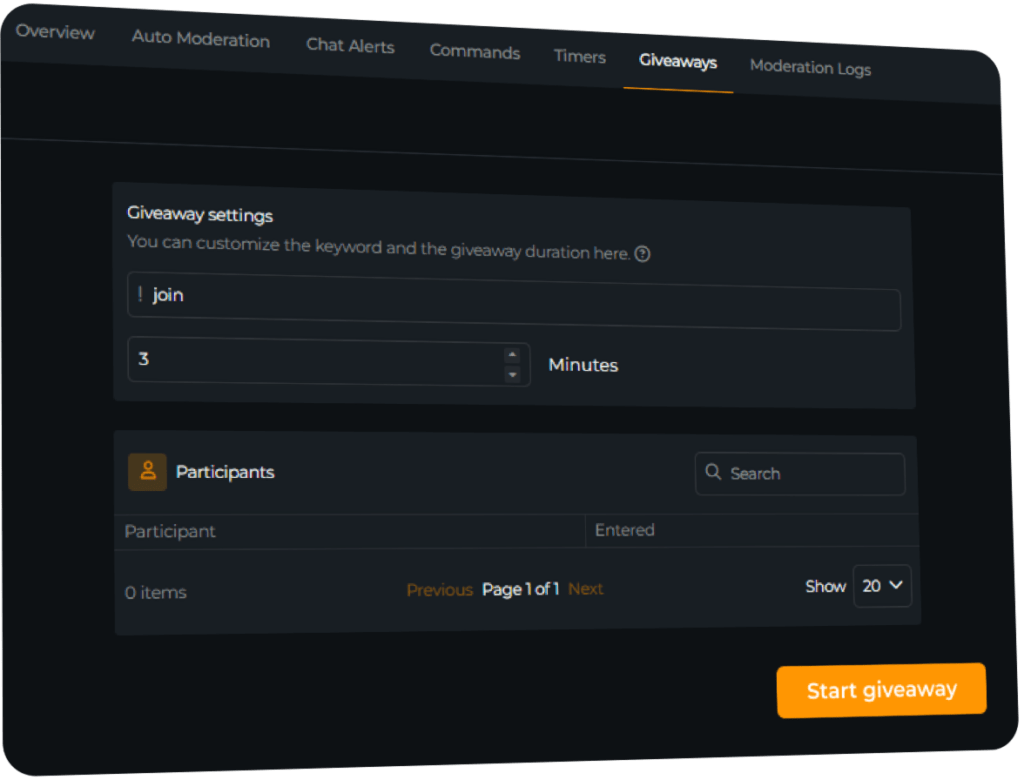
Create Kick Giveaways
Give something back to your community
With the OWN3D Kick chatbot, you can run interactive giveaways that keep your viewers engaged and show appreciation to your most loyal fans.
What Happy Customers Say About Our Kick Chatbot
See how the Kick chatbot helps creators build stronger, safer communities.


One Pass. Everything Included.
The Stream Pass gives you full access to everything OWN3D Pro has to offer. All products, including overlays, alerts, widgets, our Kick chatbot, emotes, and more, are included and not sold separately.
Works with all broadcasting tools
Customize your stream in the Scene Builder and use it with OBS Studio, Streamlabs, XSplit, or other tools. Everything works smoothly with your setup.
Unlimited* asset downloads
Download emotes, badges, panels, and more static assets. *Our unlimited plan is subject to fair use.
AI-powered creations
Get 50 AI credits with your Stream Pass to generate custom stream widgets, webcam frames, emotes, and more.
Multistreaming ready
Stream on Twitch, YouTube, and Kick with all the tools you need for a consistent and professional livestream.
FAQs About Kick Chatbot
What are the benefits of using a Kick chatbot while streaming?
A Kick chatbot helps you stay focused on your content. It supports you with useful chat commands, keeps your viewers engaged, and allows you to interact more efficiently during your stream.
How does the OWN3D chatbot stand out from other bots?
The OWN3D Kick chatbot is designed for creators who want something simple, fast, and reliable. You get all the essential features without any unnecessary clutter. It just works.
Is the OWN3D Pro Kick chatbot beginner-friendly?
Yes, it is. The setup is quick and easy. Once you log in and activate the bot, it will automatically join your Kick chat. Just ensure that you set it as a moderator in your channel settings.
Can I customize the Kick chatbot to fit my stream?
Does the Kick chatbot also work with Twitch and YouTube?
Is the OWN3D Kick chatbot really free?
Yes, the Kick chatbot is completely free to use.
Will the chatbot stay online during long streams?
As long as your stream is live and the bot is connected, it will remain active. It can also post timed messages and respond to commands from your viewers throughout the stream.
Can I use the Kick chatbot in different languages?
Yes, the OWN3D Kick chatbot supports multiple languages. You can customize all messages and commands in the language that best fits your community.
Does the Kick chatbot support auto-moderation?
Currently, automatic moderation is not supported for Kick. You won’t be able to automatically block or filter messages. However, you can still use alerts and commands to stay informed during your stream.





