
Free YouTube Streaming Chatbot
Trolls and spam can ruin the vibe of your stream in seconds. A reliable YouTube chatbot helps you keep control. With the free OWN3D chatbot for YouTube, you can automate moderation, engage your viewers, and protect your livechat. It’s easy to set up, powerful in action, and gives you the peace of mind to focus on your content.
Your YouTube Chatbot Cares for Your Chat
Fast and easy setup
Get your chatbot for YouTube live and working in just a few steps. No tech skills required. Just connect your account and make it your own.
Smart livechat tools
Tired of chat drama or bots spamming your stream? The YouTube live chatbot helps filter out unwanted messages and grants you tools to stay in control while keeping your chat welcoming for real viewers.

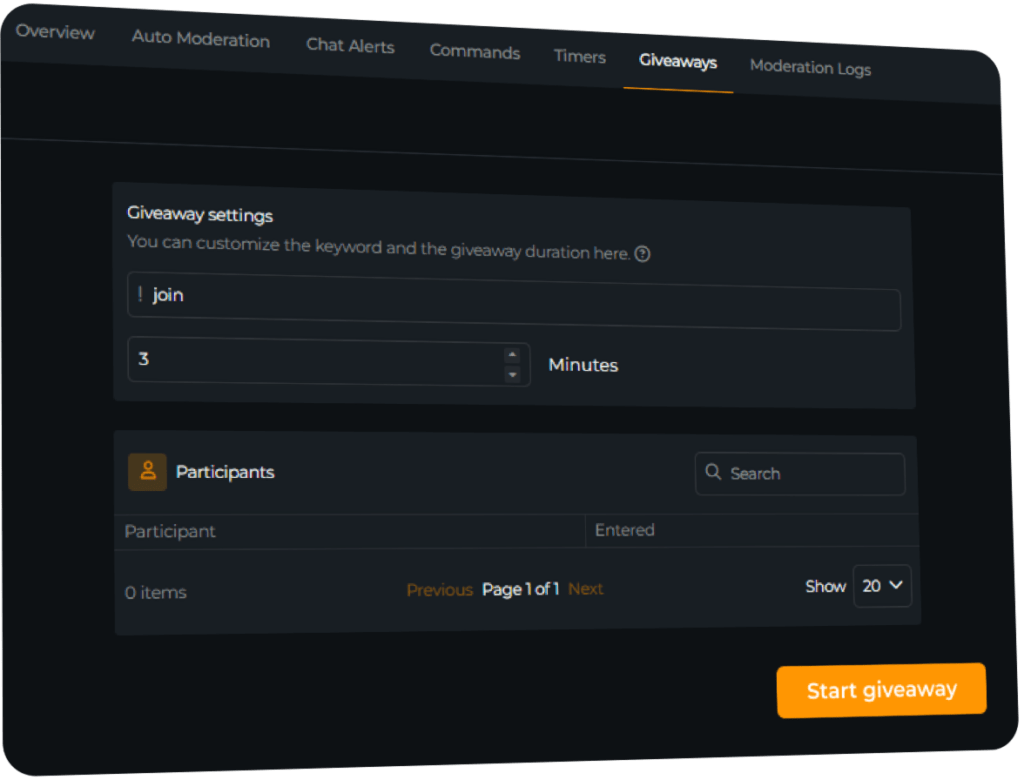
Run YouTube Giveaways
Build community loyalty
The OWN3D chatbot, which YouTube streamers love, does more than just moderate. Use it to host giveaways, reward active viewers, and bring more fun and interaction into your livestreams.
What Happy Customers Say About Our YouTube Chatbot
Discover how OWN3D’s YouTube live chatbot supports creators.


One Pass. Everything Included.
The Stream Pass gives you full access to everything OWN3D Pro has to offer. This includes our entire library of overlays, alerts, widgets, our YouTube chatbot, emotes, and more.
Works with all broadcasting tools
Customize your stream in the Scene Builder and use it with OBS Studio, Streamlabs, XSplit, or other tools. Everything works smoothly with your setup.
Unlimited* asset downloads
Download emotes, badges, panels, and more static assets. *Our unlimited plan is subject to fair use.
AI-powered creations
Get 50 AI credits with your Stream Pass to generate custom stream widgets, webcam frames, emotes, and more.
Multistreaming ready
Stream on Twitch, YouTube, and Kick with all the tools you need for a consistent and professional livestream.
FAQs About the YouTube Chatbot
Why should I use a chatbot when streaming on YouTube?
Running a stream and watching your chat simultaneously isn’t easy. The OWN3D YouTube chatbot supports you with moderation, commands, and real-time engagement so you can focus on entertaining.
How is the OWN3D chatbot different from other chatbots for YouTube?
Unlike overloaded tools, the OWN3D chatbot for YouTube is clean, focused, and made for creators. It’s easy to use, quick to install, and helps you stay focused on your stream without distractions.
Is it beginner-friendly?
Yes, totally. You don’t need to be a tech expert. Set up the YouTube bot in minutes, and it will automatically join your YouTube chat as soon as your stream goes live. Just ensure that you give it moderator permissions.
Can I set up custom features?
Does it support other platforms too?
Is the chatbot really free to use?
Yes, 100 percent. The OWN3D YouTube chatbot is free, providing access to all major features.
Does the chatbot run 24/7?
The bot is active as long as your stream is live and connected. You can also set timers and recurring messages during longer streams.
Can I use the chatbot in other languages?
Yes, you can fully localize the chatbot for YouTube. Set your commands and messages in the language that fits your community.
Does the chatbot work while I’m offline?
No. The bot connects when you go live. It won’t appear in your YouTube offline chat, so make sure your stream is active for the bot to join properly.





