
Free OBS Streaming Chatbot
Need help keeping your live chat under control while streaming with OBS Studio? The free OBS chatbot from OWN3D is set up via OWN3D Pro and supports your Twitch, YouTube, and Kick streams. From custom alerts to moderation and chat commands, this chatbot works alongside your OBS setup and helps you stay focused on your stream.
Your Chatbot Cares for Your Chat
Set up quickly
Launch your chatbot for OBS Studio in minutes through OWN3D Pro. No coding, no stress, just connect your streaming platform and start customizing.
Stay in control
Whether you stream on Twitch, YouTube, or Kick, the OWN3D OBS chatbot helps you manage spam, commands, and chat alerts, allowing you to keep your stream and chat running smoothly.

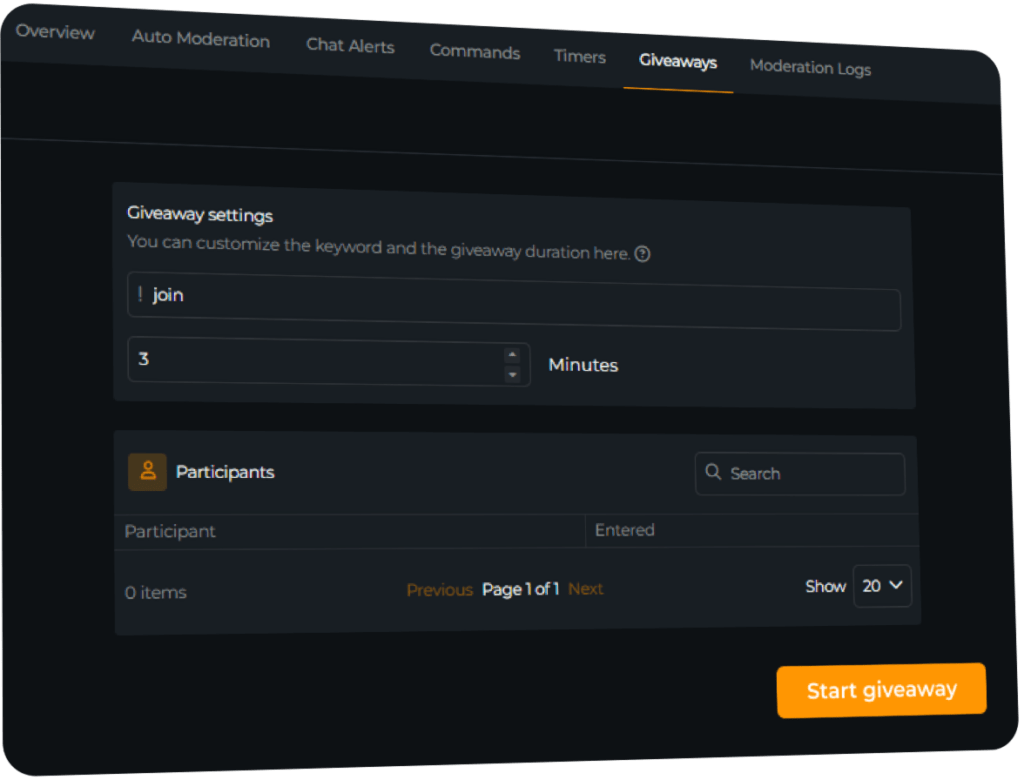
Create Giveaways
Give something back to your community
Your viewers support you every day. With the OBS chatbot, you can easily run giveaways to show your appreciation and boost interaction during your stream.
What Happy Customers Say About Our OBS Chatbot
Streamers love how the chatbot for OBS helps manage chat and engage viewers.


One Pass. Everything Included.
The Stream Pass gives you full access to everything OWN3D Pro has to offer. This includes our entire library of overlays, alerts, widgets, our OBS chatbot, emotes, and more.
Works with all broadcasting tools
Customize your stream in the Scene Builder and use it with OBS Studio, Streamlabs, XSplit, or other tools. Everything works smoothly with your setup.
Unlimited* asset downloads
Download emotes, badges, panels, and more static assets. *Our unlimited plan is subject to fair use.
AI-powered creations
Get 50 AI credits with your Stream Pass to generate custom stream widgets, webcam frames, emotes, and more.
Multistreaming ready
Stream on Twitch, YouTube, and Kick with all the tools you need for a consistent and professional livestream.
FAQs About the OBS Chatbot
Why should I use a chatbot with OBS Studio?
Managing your OBS chat while streaming can be a lot. The OWN3D OBS chatbot helps you stay focused by handling moderation, commands, and chat alerts for you. It works alongside OBS to support your stream on Twitch, YouTube, or Kick.
Does the chatbot run inside OBS Studio?
What makes the OWN3D OBS chatbot different?
It is easy to use, quick to set up, and made for streamers who want a reliable solution without unnecessary complexity. The chatbot for OBS is designed to work seamlessly with your existing setup.
Is the chatbot beginner-friendly?
Yes. Simply log in to OWN3D Pro, connect your streaming account (such as Twitch, YouTube, or Kick), and adjust the settings of your bot. It joins your chat automatically when you go live. Ensure that you add it as a moderator.
Can I customize the chatbot?
Does the chatbot work with Twitch, YouTube, and Kick?
Yes. The chatbot OBS users love is compatible with all three platforms. Feature availability may vary slightly depending on the service, so check your dashboard for full details.
Is the OBS chatbot really free?
Yes. The OWN3D chatbot for OBS Studio is completely free to use, with all major features included.
Does the chatbot stay active during long streams?
As long as your stream is live and the bot is connected, it remains active. You can also schedule recurring messages or commands to keep your chat engaged.
Can I use it in multiple languages?
Yes. The chatbot fully supports multilingual setups. You can customize messages and commands in the language that best suits your community.





