
Free AI Kick Emote Maker
Create emotes your chat will love
Every stream has moments that deserve their own reaction. The first big win. The classic fail. The running joke your community never lets go. Emotes turn those moments into a shared language.
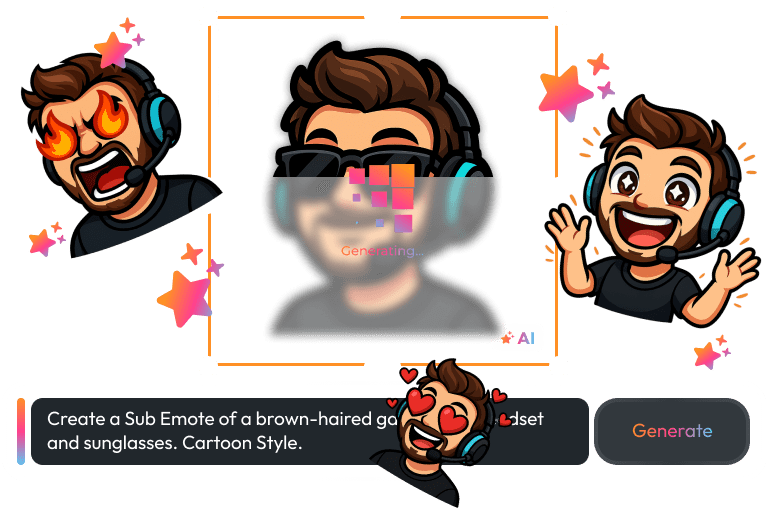
With our Kick Emote Maker, you can create expressive, high-quality emotes in seconds. Type a prompt, upload a reference image, and generate emotes that feel like they belong to your channel, not a random template.
Your Kick Channel Vibe Matters
Turn one emote into a full custom Kick emote set
You already know how your chat feels. Loud and chaotic, cozy and wholesome, sarcastic and sharp, or pure hype. Your emotes should match that energy.
Start with one mascot or character and generate variations with the Kick Emote Maker for common reactions like hype, love, panic, disbelief, and victory. Keep the style consistent, and your chat will start using your Kick emotes like a second language.
What Happy Customers Say About Our Free Kick Emote Maker
See how our product makes a difference for content creators.


One Pass. Everything Included.
The Stream Pass gives you full access to everything OWN3D Pro has to offer. This includes our entire library of overlays, alerts, widgets, emotes, and more.
Works with all broadcasting tools
Customize your overlays in the Scene Builder and use them with OBS Studio, Streamlabs, XSplit, and more. Easy to integrate with any setup.
Unlimited* asset downloads
Download emotes, sub badges, panels, and more static assets. *Our unlimited plan is subject to fair use.
AI-powered creations
Get 50 AI credits with your Stream Pass to generate custom emotes with the AI Kick Emote Maker, stream widgets, webcam frames, and more.
Multistreaming ready
Stream on Twitch, YouTube, and Kick with all the tools you need for a professional-looking livestream.
How to Make Emotes for Kick for Free
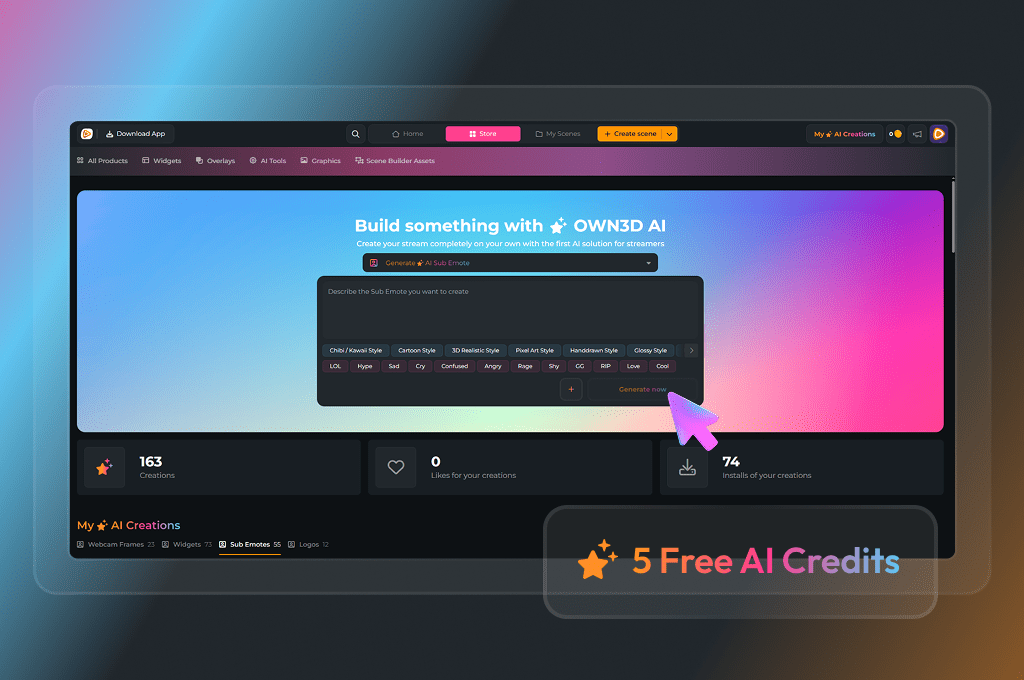
Jump into the Kick Emote Maker, type your idea, hit generate, and download your PNG. Upload it to Kick and watch your chat light up with brand new reactions. You start with 5 free AI credits to build your first emotes, and if you want a full-blown Kick emote pack later, you can upgrade to the Stream Pass for more monthly credits and keep the hype going.
Fast Results
Create custom Kick emotes in seconds with simple prompts.
Consistent Style
Upload a reference image and generate matching variations.
Ready to Use
Download clean PNG files and upload them to your channel.
Kick Emote Maker Features
Create Kick emotes with AI and build a community language your viewers love.
AI Kick Emote Creation
Prompt-Based Generation
Reference Image Variations
PNG Downloads
Built for Stream Communities
Frequently Asked Questions
What is the Kick Emote Maker?
The Kick Emote Maker is an AI tool that helps you create custom emotes by typing a prompt or uploading a reference image. It generates clean, expressive static PNG emotes that you can download instantly and use for your channel branding and chat reactions.
How to make emotes for Kick with this tool?
Start with a prompt that describes the character and emotion you want. For example, “cute raccoon cheering, bold outline, simple shading, clean background.” Generate a few options, then adjust the prompt until you like it. If you already have a mascot or avatar, upload it as a reference and create variations like hype, laughing, crying, shocked, and angry to build a cohesive set.
What makes a Kick emote look good in chat?
Chat is small and fast, so clarity wins. Use bold shapes, strong contrast, and simple backgrounds. Avoid tiny text, thin lines, and busy details. If the emote looks noisy when scaled down, regenerate it with fewer details and stronger outlines to keep the expression readable.
Can I create a full emote pack that matches my channel style?
Yes. The easiest way is to pick one consistent style and reuse it in every prompt, then only change the emotion or pose. You can also upload a reference image so multiple emotes share the same character and visual identity. This helps your emotes feel like a real set, not a random collection.
How many emotes can I create with the Kick Emote Maker?
Every free user gets 5 AI credits to explore emotes, logos, widgets, or webcam frames. That means you can create up to 5 emotes for Kick if you spend your credits only on emotes, which is perfect to test the Kick Emote Maker and find a style your chat will instantly spam. If you want to build a bigger set, upgrade to the Stream Pass for 50 monthly AI credits or the Widget Pass for 20 monthly AI credits.
Are the Kick emotes animated?
No. The output is a static PNG, which is usually the simplest option for uploading and keeps your emotes clean and readable in chat. If you need an animated version, you would typically create it in a separate tool and upload it as an animated emote.
Can I use these emotes on other platforms, too?
Yes. Since the downloads are PNG files, you can often use them anywhere custom emotes or emojis are supported. Just check the upload requirements on each platform.
Is there a free option?
Yes. You can start free and test the workflow, then upgrade if you want more monthly credits for larger packs and more emotions.
What should I avoid when generating emotes?
Avoid copyrighted characters, trademarked logos, or artwork you do not have the rights to use. Original ideas and original characters are the safest route, and they help your channel stand out.





