Free & Premium Stinger Transitions
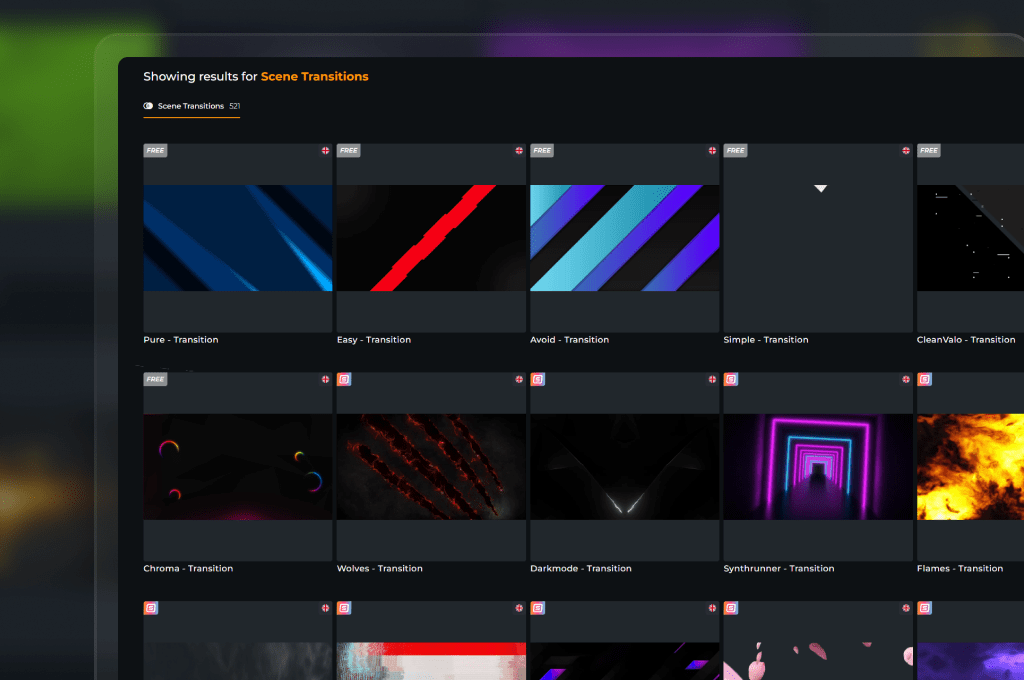
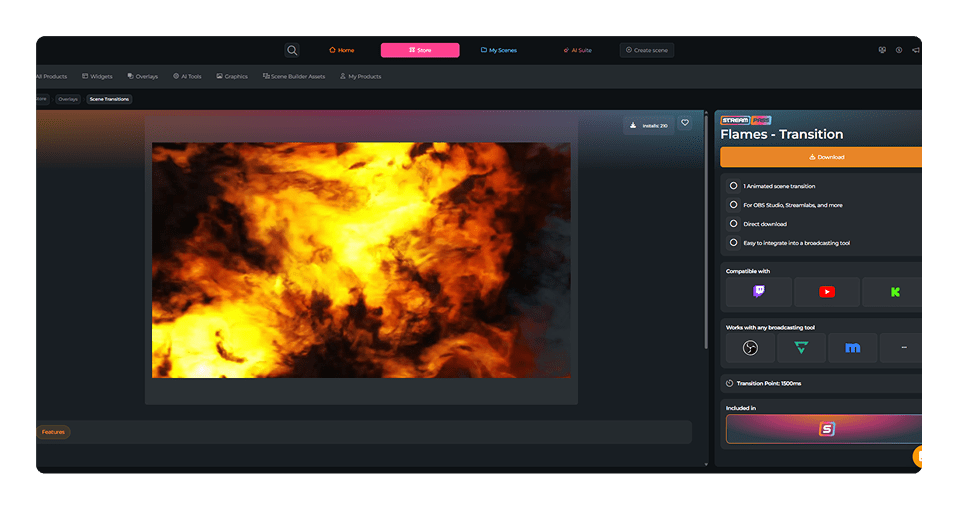
Switching from your Starting Soon screen to your live gameplay shouldn’t feel like a sudden jump cut. It should feel like a massive opening moment. Stinger transitions are the animated secret that turns simple scene changes into a professional stream experience. They build anticipation and create a seamless flow. With OWN3D Pro, you get instant access to both clean free stream transitions and high-end animated stinger transitions for every broadcasting tool.
Our Community’s Favorite Stinger Transitions
All Free & Premium Stinger Transitions
Fluid Stream Flow
Stop hard cuts, start making entrance moves
Every scene change is a massive opportunity to flash your style. Moving from your countdown to the main gameplay loop shouldn’t just happen in silence.
Using a stinger transition frames your stream like a high-budget broadcast. It builds instant hype, signals your chat that the show is officially starting, and makes your digital stage look incredibly premium.
Sync Your Scene Transitions Perfectly
Deliver seamless audio and visual impact during layout changes
Flawless scene changes require ideal timing, synchronized audio effects, and lightweight performance to protect your frame rates. That entire checklist needs a perfect stinger transitions setup to truly succeed, and that is exactly what our optimized animated stinger transitions deliver right out of the box.
What Happy Customers Say About Our Stinger Transitions
See how our product makes a difference for content creators.
One Pass. Everything Included.
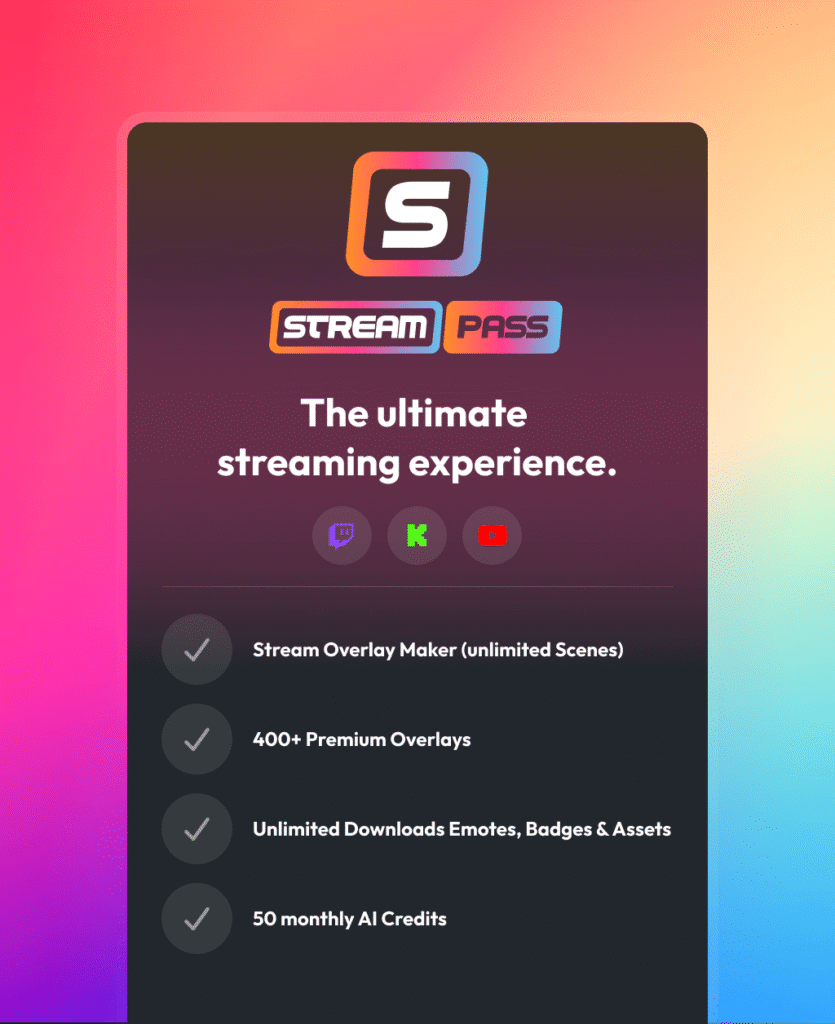
The Stream Pass gives you full access to everything OWN3D Pro has to offer. This includes our entire library of overlays, alerts, badges, widgets, animated stinger transitions, and more.
Works with all broadcasting tools
Customize your overlays in the Scene Builder and use them with OBS Studio, Streamlabs, XSplit, and more. Easy to integrate with any setup.
Unlimited* asset downloads
Download sub emotes, badges, stinger transitions, and more static assets. *Our unlimited plan is subject to fair use.
AI-powered creations
Get 50 AI credits with your Stream Pass to generate custom stream widgets, webcam frames, emotes, and more.
Multistreaming ready
Stream on Twitch, YouTube, and Kick with all the tools you need for a professional-looking livestream.

How to Add Your Stinger Transition
Getting your transitions for streaming up and running in OBS Studio is incredibly simple. Follow these steps to get a flawless, professional stream cut in minutes.
Step 1
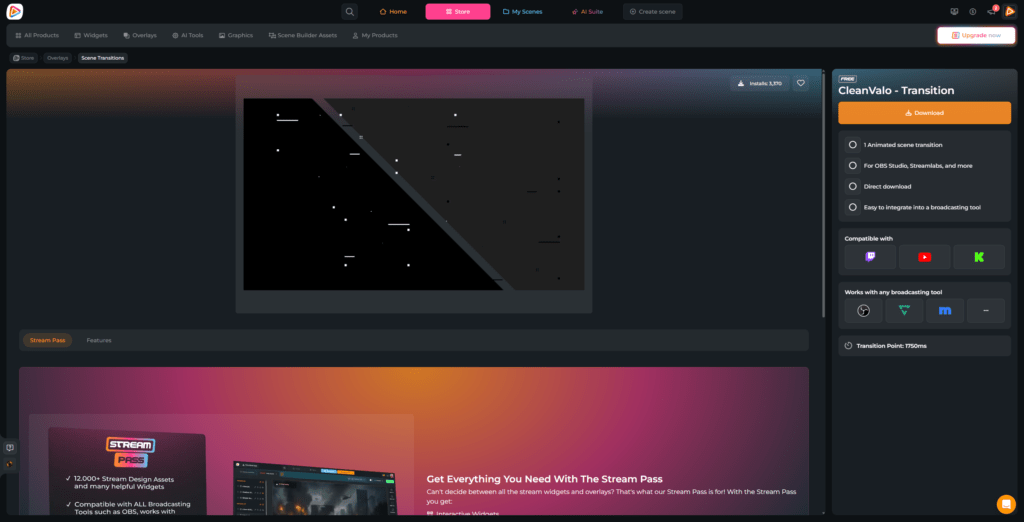
Search for a premium or free stinger transition you like and download it to your desktop. On the product/download page, you’ll also see the transition point. Keep this in mind for your broadcasting tool.
Step 2
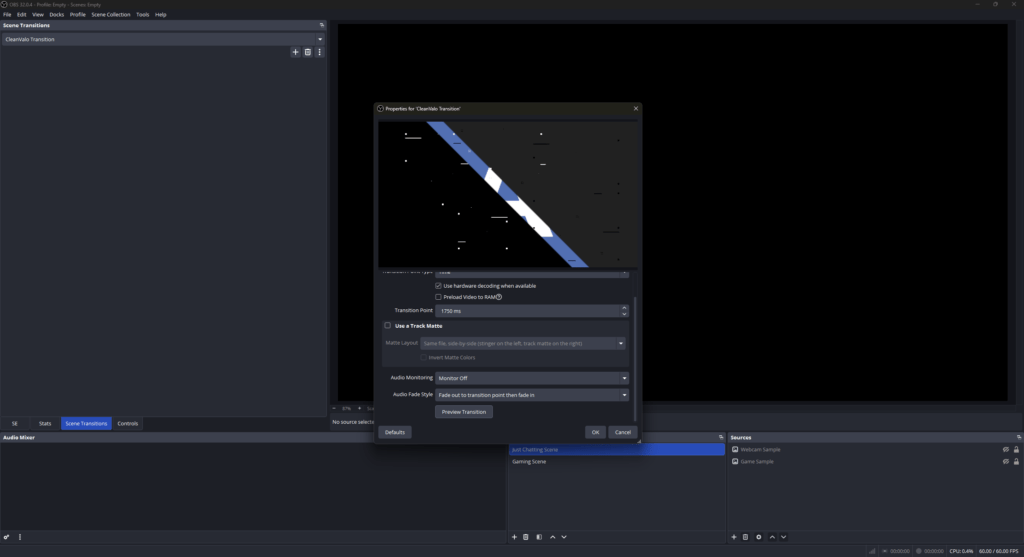
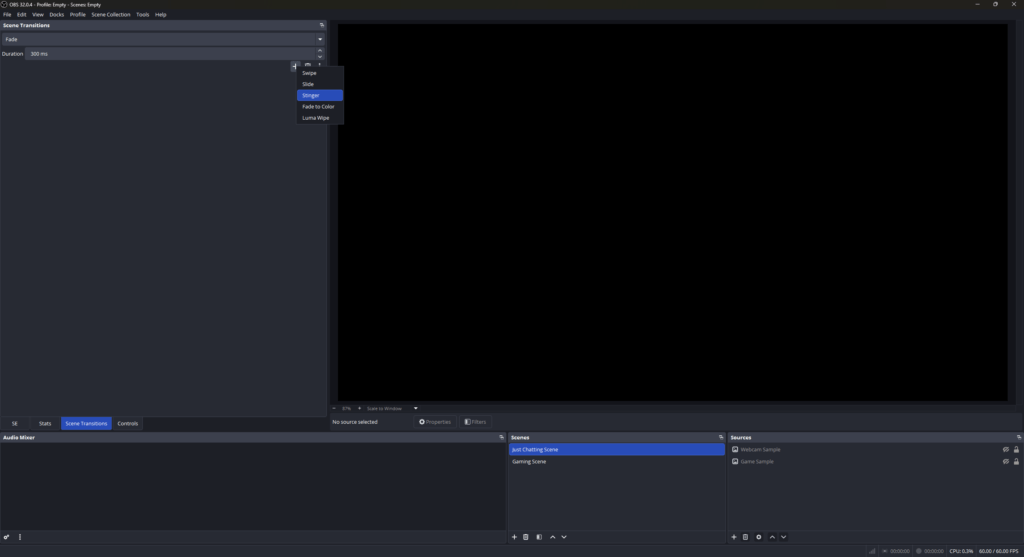
Look for the Scene Transitions dock in your broadcasting tool. Hit “+” to see the available options. Since we want an animated reveal, select Add: Stinger.
Step 3
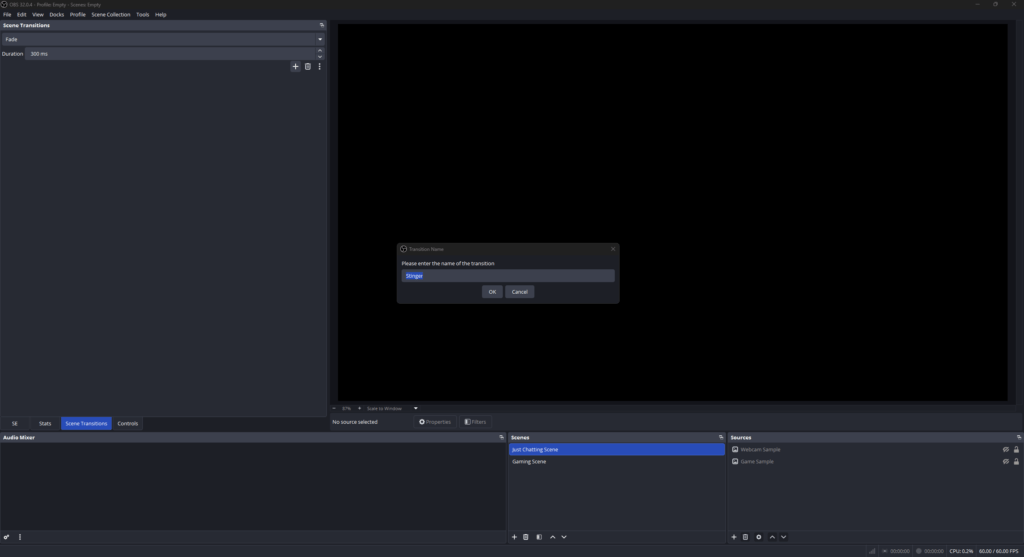
A prompt will ask you to name your new asset. Give it a clear name (for example, “CleanValo Transition”) and click OK. This action immediately opens the properties window for your transition.
Step 4
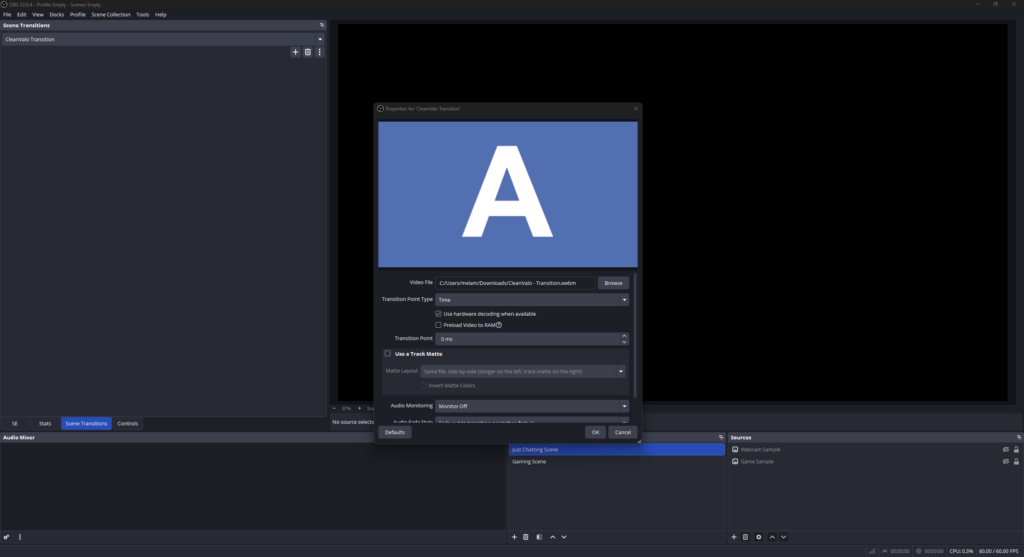
Look for the Video File field and click the Browse button on the right side. A local browser window will open. Navigate to your downloaded file and select your new stream stinger transition.
Step 5
Now, enter the transition point timing value in milliseconds (ms) from the product/download page. This is the exact frame where the animation fully covers the screen, hiding the scene swap underneath. Click Preview Transition to check your timing, adjust if needed, and hit OK. Your automated scene change is active!
FAQs About Stinger Transitions
What is a stinger transition, and how does it upgrade my stream?
A stinger transition is a short, animated video overlay that plays exactly when you change scenes. Instead of a boring, sudden cut, it acts as a visual bridge when you move from a Just Chatting layout to your live gameplay.
Where can I find professional transitions for streaming?
Right here. At OWN3D Pro, we build assets from a creator’s perspective. Our designers focus on every single frame when crafting transitions for streaming, ensuring they not only look stunning but also give you the confidence to focus entirely on your community.
Can I start with a free stinger transition?
Absolutely. We want you to feel proud of your digital stage right from day one, even if you are starting from zero. OWN3D Pro offers a selection of free stinger transitions. You can unlock a free stream transition simply by creating a free account and downloading it, letting you test different styles without spending a dime.
How do I install a premium or free stinger transition?
It is completely hassle-free. If you want to use a stream transition free of charge or upgrade your style with premium animated stinger transitions, the process is identical. Since our assets are downloaded as clean video files, you can add them directly to your broadcasting tool manually. We actually wrote a quick, easy-to-follow step-by-step guide for OBS Studio right above on this page to help you import your file and set your transition point in less than two minutes.
Is a stinger transitions free download safe for my setup?
Absolutely. When you choose a stinger transitions free download through OWN3D Pro, you are getting fully optimized, safe, and clean files.
Do I get unlimited access to all transitions with the Stream Pass?
Can I buy individual animated stinger transitions?
Can I use these transitions with any broadcasting tool?
Yes. As long as your software supports adding scene transitions, you can use our files. Whether you run OBS Studio, Streamlabs, or XSplit, our animations are optimized to integrate perfectly into your daily stream workflow.
Do these assets work for Twitch, YouTube, and Kick?
Yes, they are completely platform-independent. Since the animations are loaded directly within your broadcasting tool, they will display flawlessly whether you stream to a single platform or run a multistreaming setup.
How do I make a custom stinger transition?
Creating a custom stinger transition from scratch usually requires video editing skills and animation software like Adobe After Effects or DaVinci Resolve, along with a lot of time to get the exact transition point right. While making your own design is a cool project, it can get tricky for beginners. It is much faster and easier to grab a ready-to-use, professional animation from our collection, allowing you to instantly upgrade your stream without the tech headache.
Is a sound effect included with my stinger transition?
Yes, absolutely. We know that audio pacing is just as vital as visual quality when you switch scenes during your stream. Every stream stinger transition in our library comes with a professionally mixed sound effect that matches the explosive movement of the animation perfectly.