Free & Premium Streamlabs Transitions
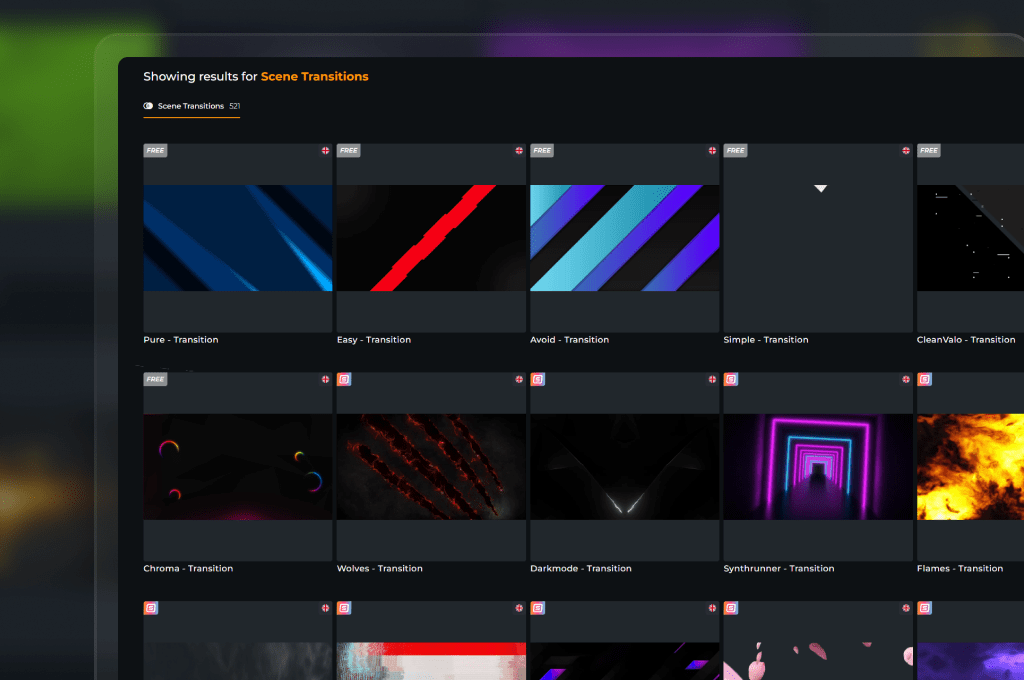
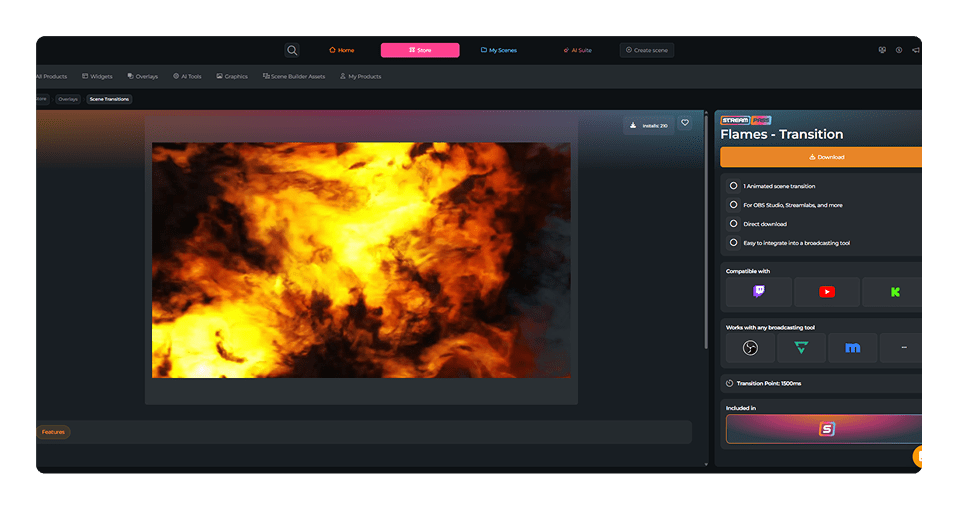
You hit live, your game is running, and your chat is waiting. When you switch from your countdown to your webcam, that moment should feel electric. A default, rough cut breaks the magic instantly. An animated Streamlabs transition places a beautiful blast of motion right over the technical source change, keeping your stream’s momentum completely flawless. With OWN3D Pro, you get access to a massive library featuring free Streamlabs transitions and premium stingers.
Our Community's Favorite Streamlabs Transitions
All Free & Premium Streamlabs Transitions
Elevate Your Streams with Streamlabs Transitions
The perfect bridge between your scenes
Your custom overlays, webcam borders, and alerts are key to building your brand. Abrupt scene changes can disrupt your viewers’ immersion, but a premium Streamlabs stinger transition turns every switch into a highlight, making your transitions as professional as the rest of your stream.
Perfect Timing Right Out of the Box
Lightweight assets with perfectly timed audio
Editing video layouts, matching audio frames, and panicking over frame drops is an absolute nightmare. Our pre-made assets sweep that technical stress away right now. Every stinger file is engineered to run ultra-light in Streamlabs, delivering crisp cut points while your PC maintains max frame rates.
What Happy Customers Say About Our Streamlabs Transitions
See how our product makes a difference for content creators.
One Pass. Everything Included.
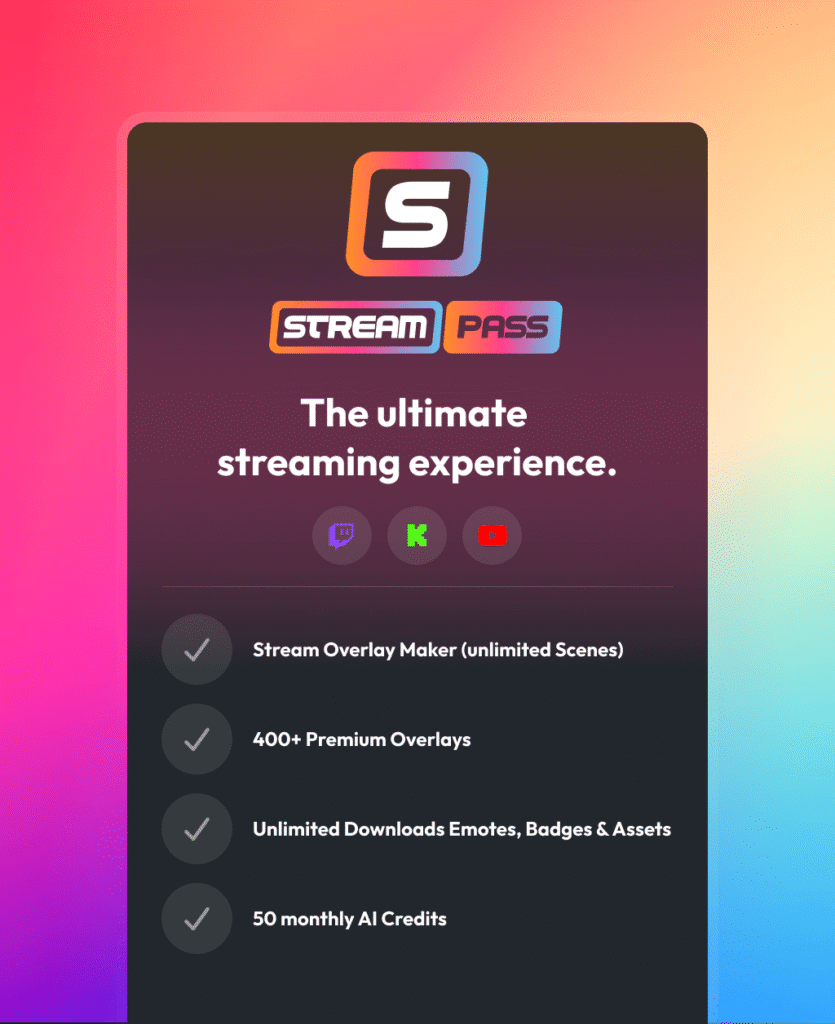
The Stream Pass gives you full access to everything OWN3D Pro has to offer. This includes our entire library of overlays, alerts, badges, widgets, Streamlabs transitions, and more.
Works with all broadcasting tools
Customize your overlays in the Scene Builder and use them with OBS Studio, Streamlabs, XSplit, and more. Easy to integrate with any setup.
Unlimited* asset downloads
Download sub emotes, badges, Streamlabs transitions, and more static assets. *Our unlimited plan is subject to fair use.
AI-powered creations
Get 50 AI credits with your Stream Pass to generate custom stream widgets, webcam frames, emotes, and more.
Multistreaming ready
Stream on Twitch, YouTube, and Kick with all the tools you need for a professional-looking livestream.

How to Set Up a Transition in Streamlabs
Drop your stinger directly into your Streamlabs Desktop in under two minutes. Follow this simple guide:
Step 1
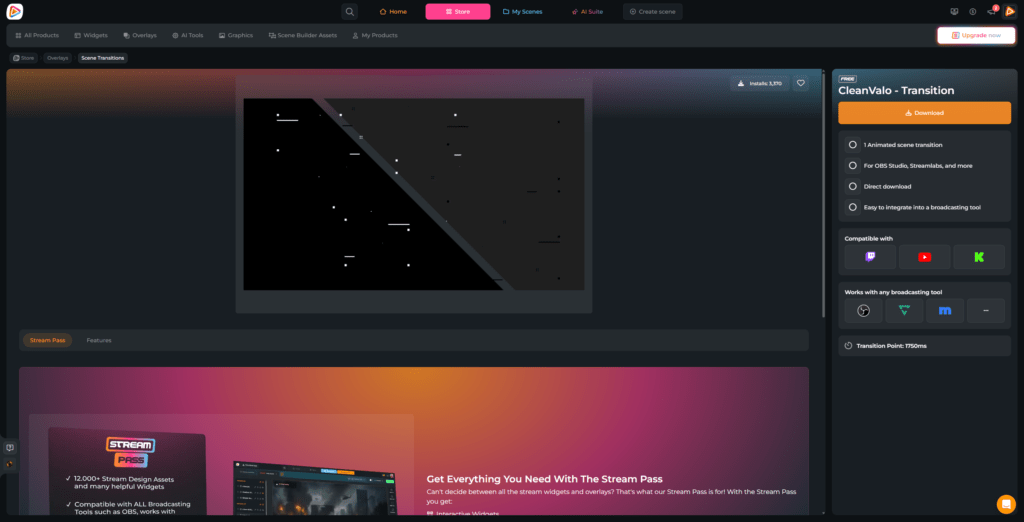
Browse the OWN3D Pro library, pick an animation you love, and download the video file. Copy the specific transition point value in milliseconds from the product page.
Step 2
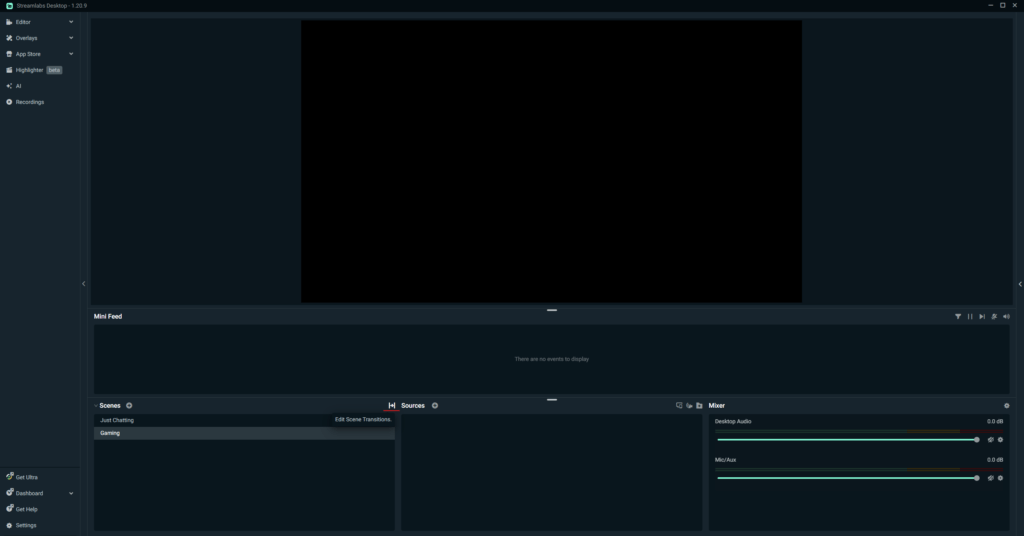
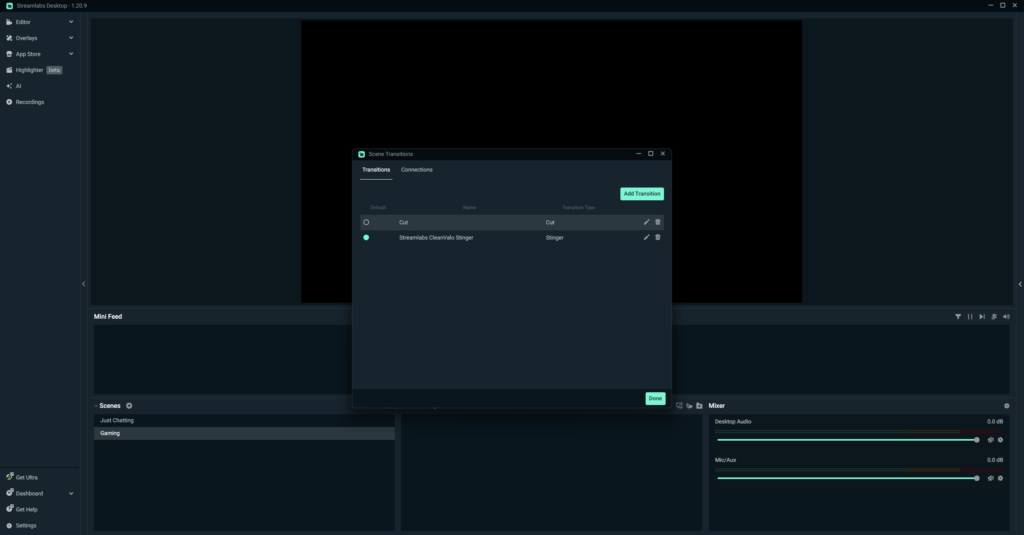
Open Streamlabs and look at your “Scenes” dock. Click the small icon with an arrow inside it, located right next to your scene titles. You will need at least two scenes in Streamlabs Desktop to set up your transition, so make sure you have two scenes installed (they can be empty).
Step 3
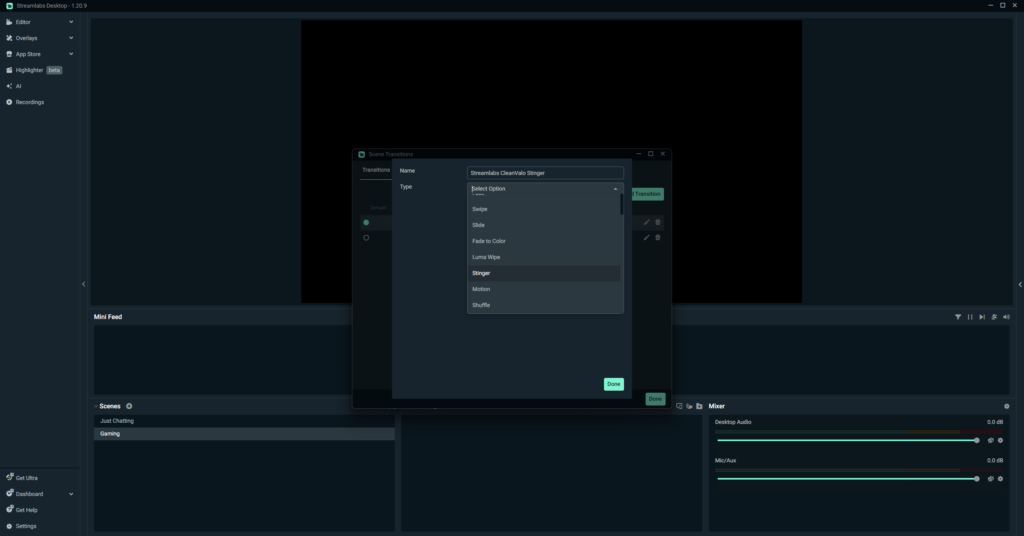
Click the “Add Transition” button. Name your asset something clean like “Streamlabs CleanValo Stinger” and select “Stinger” as your type.
Step 4
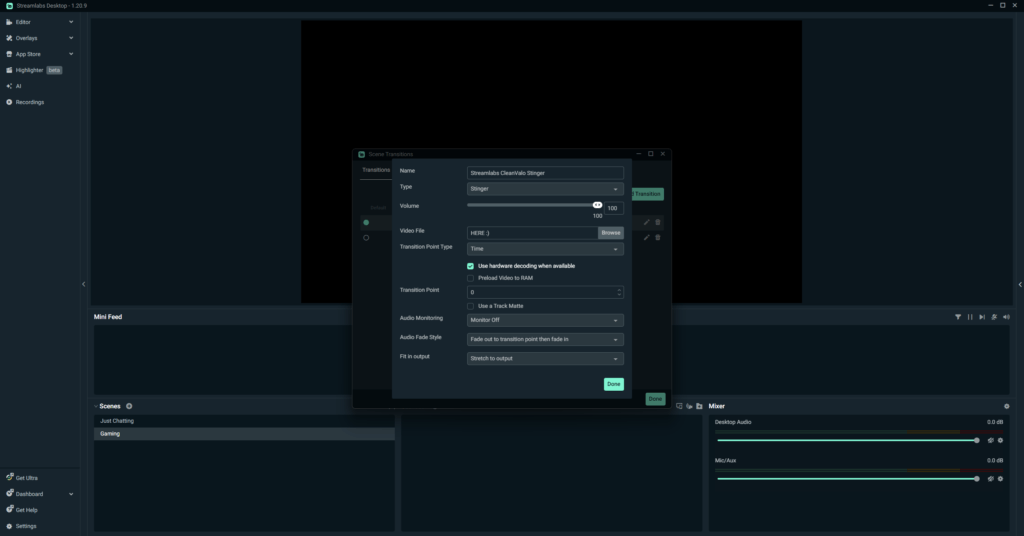
Go to the Video File field, click Browse, open your local storage folder, and pick your new animation file.
Step 5
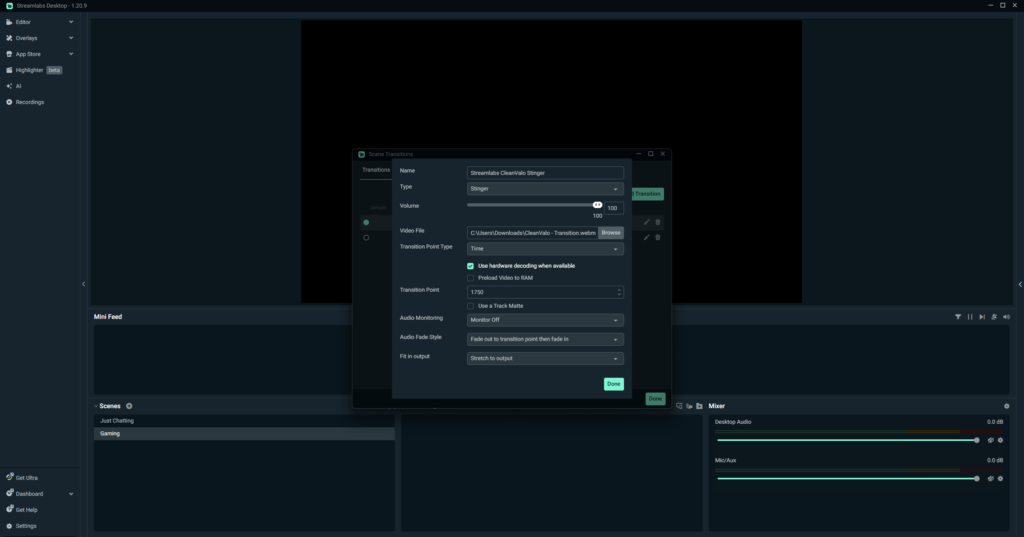
Locate the Transition Point field and enter the exact millisecond value you grabbed from our product page. This tells Streamlabs to execute the source switch at the exact moment the graphic completely fills the screen.
Step 6
Click Done, select your brand-new transition, and you are ready to put on a great show.
FAQs About Streamlabs Transitions
What is a Streamlabs transition, and why does my channel need one?
It is a brief, dynamic animation that triggers automatically whenever you change scenes in your broadcasting tool. Instead of an unpolished jump cut, it creates a visual flow between your gameplay and intermission layouts. It gives your livestream a premium feel that keeps your community fully locked in.
Where can I find professional Streamlabs transitions for free?
You can grab them right here at OWN3D Pro! We want every single creator to feel proud of their stream from day one, no matter their budget. You can unlock free Streamlabs transitions by creating a free account and downloading our basic stinger files.
Why can't I add the scene transition in Streamlabs?
Streamlabs requires at least two separate scenes before you can configure your stingers. If you only have one scene, there is nothing to switch between, so the software locks the editing menu. Simply click the plus icon in your Scenes dock, create a quick temporary scene, and click that arrow icon again to instantly unlock your transition settings.
Is it hard to install these stinger files into my software?
Not at all. The process is completely identical whether you are using a free file or a premium asset. Our graphics download as clean, optimized video files that you can import directly into Streamlabs yourself. We wrote a quick step-by-step guide right above this section to help you set it up in less than two minutes.
Will downloading a free Streamlabs transition cause lag on my system?
No, your gaming performance is safe with us. When you download an asset through OWN3D Pro, you get highly optimized files built specifically for livestreaming. They run light, meaning they will not cause game lag or drop your frames while you are live.
Do I get complete access to all Streamlabs transitions with the Stream Pass?
Why should I choose a Streamlabs transition over a standard fade?
A standard fade gets the job done, but a custom stinger shows your community that you take your digital stage seriously. It creates a premium experience that makes a great impression on new viewers from the first second.
Can I purchase individual premium Streamlabs transitions separately?
Will these video files function across different broadcasting tools?
Yes, they are highly flexible assets. Your downloaded transitions will work perfectly across Streamlabs, OBS Studio, XSplit, or any other broadcasting tool that supports custom stinger cuts.
How can I create my own custom Streamlabs transitions?
Designing custom Streamlabs stingers from scratch means spending hours inside complex animation programs like After Effects. It takes a lot of time to adjust keyframes just to get the millisecond timing of the cut right. Choosing a pre-made asset from our library lets you skip that steep technical curve, giving you a professional look in just a few clicks.
Are sound effects included with my Streamlabs transition downloads?
Yes, every file delivers a complete audio experience. Our Streamlabs transitions feature pre-synchronized audio effects that peak at the precise moment the animation covers the screen, giving your scene changes great production value.